Say Goodbye to Paid Midjourney? 5 Free and Powerful AI Image Generation Tools Recommended
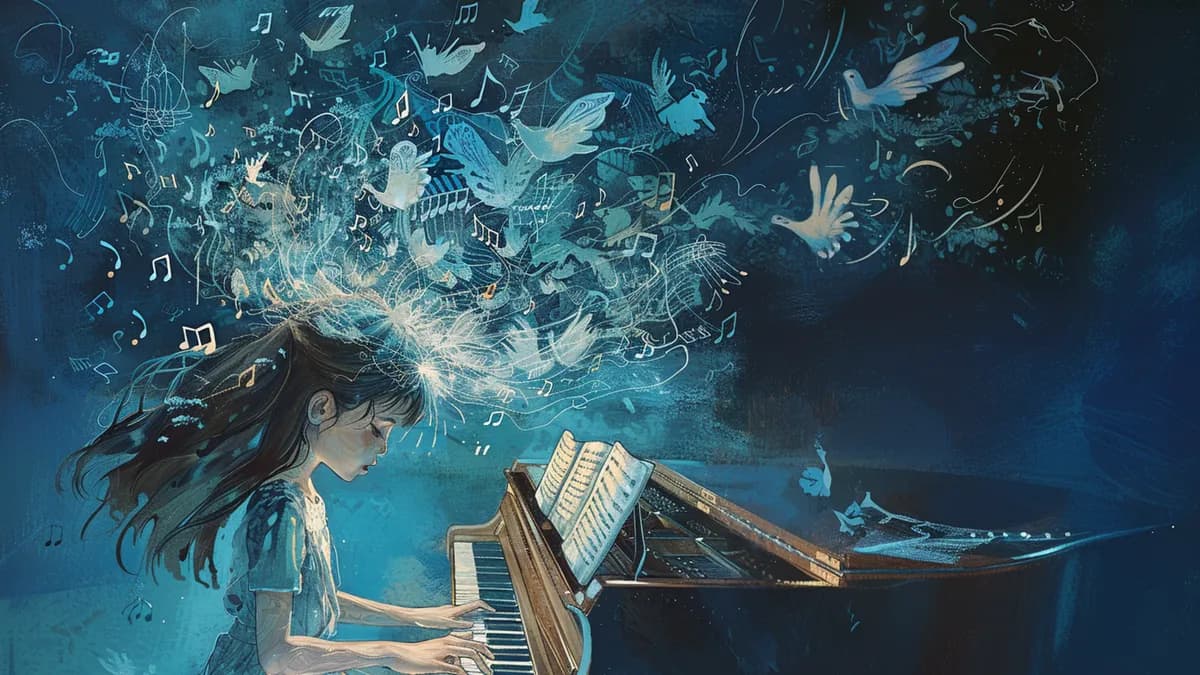
Let's be honest: Midjourney is the crowned king of AI image generation. Its ability to produce cinematic, hyper-stylized artwork with minimal prompting is unmatched. The platform has become synonymous with professional AI art, gracing everything from magazine covers to indie game concept art. But here's the problem—at $10/month minimum (and $30/month for serious creators), Midjourney's pricing structure locks out students, hobbyists, and creators in emerging markets who simply cannot justify the subscription cost.
Here's the good news: The AI image generation landscape has exploded in the past year, and several powerful alternatives have emerged that offer 80-90% of Midjourney's quality completely free. These aren't perfect replacements—you'll sacrifice some of that signature "Midjourney magic" and may need to invest more time in prompt engineering—but they deliver genuinely professional results without the monthly bill.
What Makes a Tool "Powerful" Enough to Compete?
Before we dive into the recommendations, let's establish our criteria. A free AI image generation tool earns the "powerful" label when it delivers:
- Prompt Control: Advanced natural language understanding that respects descriptive, detailed prompts
- Technical Flexibility: Aspect ratio customization, resolution control (minimum 1024x1024), and style parameters
- Output Quality: Sharp details, coherent compositions, and minimal artifacts like distorted hands or faces
- Accessibility: Either a generous free tier or completely open-source with reasonable compute requirements
With these benchmarks in mind, let's explore five exceptional free alternatives that can genuinely replace Midjourney for most creative projects.
1. Bing Image Creator (DALL-E 3 Integration): The Effortless Champion
Best For: Beginners, text-heavy designs, photorealistic renders, and anyone wanting zero learning curve
Microsoft's Bing Image Creator quietly became one of the most accessible ways to leverage OpenAI's DALL-E 3 model—arguably Midjourney's closest competitor in raw capability. The integration is seamless: sign in with a Microsoft account, type your prompt, and watch four high-resolution variations generate in 15-30 seconds.
The Scorecard
| Metric | Bing/DALL-E 3 Score | Midjourney Score |
|---|---|---|
| Aesthetics/Quality | 8.5/10 | 10/10 |
| Learning Curve | Very Low | Low |
| Free Tier Limit | 15 "boosts"/day (then slower generation) | N/A |
Why It Stands Out
DALL-E 3's secret weapon is its superior prompt adherence—it understands complex sentences, spatial relationships, and text rendering better than almost any competitor. While Midjourney excels at artistic interpretation, DALL-E 3 excels at following instructions precisely. Ask for "a blue ceramic mug on the left side of a wooden table with morning sunlight streaming through venetian blinds" and DALL-E 3 will nail the composition.
The text rendering capability is particularly game-changing. Need a book cover with legible title text? A product mockup with brand names? DALL-E 3 handles typography that would produce gibberish in most other tools.
The Limitations
DALL-E 3 through Bing tends toward a slightly "cleaner," more digital aesthetic. If you're chasing that cinematic, film-grain texture that Midjourney provides effortlessly, you'll need to explicitly prompt for it. Additionally, the daily boost system means heavy users will experience slower generation speeds after their first 15 images.
Pro Tip for Maximum Quality
Add these modifiers to your prompts: "shot on 35mm film, cinematic lighting, professional color grading, shallow depth of field." This pushes DALL-E 3 toward more artistic outputs rather than its default "stock photo" tendency.
2. Leonardo AI: The Feature-Rich Powerhouse
Best For: Users who want fine-tuned control, custom model training, and a massive free tier
Leonardo AI represents the new generation of AI art platforms—feature-rich, community-driven, and surprisingly generous with free access. New users receive 150 daily tokens, which typically translates to 30-50 images depending on resolution and model choices.
The Scorecard
| Metric | Leonardo AI Score | Midjourney Score |
|---|---|---|
| Aesthetics/Quality | 8/10 | 10/10 |
| Learning Curve | Medium | Low |
| Free Tier Limit | 150 tokens/day (resets daily) | N/A |
Why It Stands Out
Leonardo's killer feature is its extensive library of pre-trained community models. Want anime-style illustrations? There's a model for that. Isometric game assets? Covered. Photorealistic portraits? Multiple specialized models available. This ecosystem approach means you can achieve highly specific aesthetic goals without the trial-and-error of generic prompts.
The platform also includes Canvas (outpainting/inpainting), background removal, upscaling, and even the ability to train custom models on your own dataset—features that would cost extra in most commercial tools.
The Limitations
With power comes complexity. Leonardo's interface can overwhelm newcomers with sliders for "Guidance Scale," "Tiling," "PhotoReal," and model selection. The quality variance between models is significant—some community models produce stunning work while others feel amateurish. You'll need to invest time exploring and bookmarking your favorite models.
Pro Tip for Maximum Quality
Start with the "Leonardo Kino XL" or "DreamShaper" models for versatile, high-quality outputs. Use the "Prompt Magic" toggle (costs extra tokens but worth it) for complex prompts. Enable "PhotoReal" mode for photographic styles, and adjust "Prompt Adherence" to 10-15 if the AI is ignoring parts of your description.
3. Stable Diffusion (Web UI/Colab/Local): The Open-Source Beast
Best For: Technical users, those wanting absolute control, unlimited generation, and no content restrictions
Stable Diffusion is the Linux of AI image generation—completely free, infinitely customizable, and somewhat intimidating to newcomers. Unlike commercial platforms, Stable Diffusion is an open-source model you can run on your own hardware or access through free cloud services like Google Colab.
The Scorecard
| Metric | Stable Diffusion Score | Midjourney Score |
|---|---|---|
| Aesthetics/Quality | 7-9/10 (model dependent) | 10/10 |
| Learning Curve | High | Low |
| Free Tier Limit | Unlimited (if self-hosted) | N/A |
Why It Stands Out
This is absolute creative freedom. Want to generate 1,000 images overnight? Go ahead. Need to train a model on your company's product photos? Possible. Want to fine-tune every parameter from sampling steps to CFG scale? It's all exposed. The Stable Diffusion ecosystem includes thousands of checkpoints (model variants), LoRAs (lightweight style adjusters), and extensions for everything from video generation to 3D rendering.
For free web access, platforms like Hugging Face Spaces, Mage.space, and Playground AI offer Stable Diffusion interfaces with generous limits. For maximum power, install AUTOMATIC1111's Web UI locally (requires a decent GPU) or use free Google Colab notebooks.
The Limitations
The technical barrier is real. Terms like "negative prompts," "sampling methods," and "ControlNet" require research to understand. Base Stable Diffusion models (without LoRAs or fine-tuning) often produce less aesthetically polished results than Midjourney out-of-the-box. You're trading convenience for control.
Pro Tip for Maximum Quality
Download the "Realistic Vision" or "Deliberate" checkpoints for general use. Always use negative prompts to exclude common artifacts: "ugly, blurry, low quality, distorted hands, bad anatomy, watermark." Set sampling steps to 30-50 and CFG Scale to 7-9 for the sweet spot between creativity and coherence. Explore CivitAI.com for community-trained models and LoRAs.
4. Ideogram AI: The Typography Specialist
Best For: Graphic designers, poster creation, logo concepts, and any project requiring integrated text
Ideogram burst onto the scene in 2023 with one revolutionary feature: reliably accurate text rendering. While most AI tools struggle with legible text, Ideogram was built from the ground up to handle typography as a first-class element.
The Scorecard
| Metric | Ideogram Score | Midjourney Score |
|---|---|---|
| Aesthetics/Quality | 7.5/10 | 10/10 |
| Learning Curve | Low | Low |
| Free Tier Limit | 25 prompts/day (slow queue) | N/A |
Why It Stands Out
Need a vintage movie poster with a stylized title? A motivational quote over a landscape? A product label with ingredient text? Ideogram handles these scenarios that break other tools. The platform also offers "Magic Prompt" enhancement—it automatically expands your short prompt into a more detailed version for better results.
The output style tends toward vibrant, commercial-friendly aesthetics. Think Instagram-ready designs rather than fine art. Recent updates added the Ideogram 2.0 model, which significantly improved photorealism and prompt adherence.
The Limitations
The free tier places you in a slower generation queue (2-5 minutes per image during peak hours). The aesthetic range is narrower than Midjourney—you'll get clean, modern results but struggle to achieve grunge, vintage film, or experimental art styles. The 1:1 aspect ratio default can feel limiting for landscape/portrait compositions.
Pro Tip for Maximum Quality
Always specify text elements in quotes within your prompt: "Create a jazz festival poster with the text 'BLUE NOTE NIGHTS' in art deco typography." Use the "Remix" feature to iterate on successful generations. Combine with the "Design" style preset for graphic-focused outputs.
5. Canva Magic Media: The Practical Integrator
Best For: Graphic designers, social media managers, content creators needing quick visual assets
Canva's Magic Media isn't trying to be Midjourney—and that's exactly why it deserves a spot on this list. Integrated directly into Canva's design suite, it's purpose-built for creators who need AI images as components of larger projects, not standalone art pieces.
The Scorecard
| Metric | Canva Magic Media Score | Midjourney Score |
|---|---|---|
| Aesthetics/Quality | 7/10 | 10/10 |
| Learning Curve | Very Low | Low |
| Free Tier Limit | 50 lifetime credits (free plan) | N/A |
Why It Stands Out
The workflow integration is unbeatable. Generate an image and it's instantly editable within your design—add text overlays, adjust colors to match your brand palette, apply filters, and export in one seamless process. For social media posts, presentation slides, or quick mockups, this eliminates the export-import dance required with standalone AI tools.
Magic Media also includes style filters (watercolor, digital art, filmic, etc.) and the option to reference uploaded images for style matching. The "Surprise Me" feature auto-generates prompt variations, perfect when you're creatively stuck.
The Limitations
This is clearly powered by a simplified version of Stable Diffusion, and it shows—outputs lack the detail and artistic nuance of dedicated tools. The 50 free credits are one-time, not renewable (paid plans get monthly allocations). Advanced features like inpainting or upscaling require Canva Pro.
Pro Tip for Maximum Quality
Use Magic Media for backgrounds, textures, and abstract elements rather than focal subjects. Generate multiple variations and composite the best parts using Canva's layers. Pair with Canva's background remover to extract generated subjects and place them in custom scenes.
The "Midjourney Style" Prompt Hack: Writing for Professional Results
Here's the secret most free tool users miss: Midjourney's magic isn't just the model—it's how users prompt it. Midjourney trained its community to write highly detailed, cinematic prompts. You can adopt this approach with any tool to dramatically improve results.
The Midjourney V6 Prompt Formula
Bad Prompt: "A dragon in a forest"
Midjourney-Style Prompt: "A majestic crimson dragon perched on a moss-covered stone in an ancient redwood forest, shafts of golden morning light piercing through the canopy, atmospheric mist, shot on Fujifilm XT-4 with 35mm f/1.4 lens, shallow depth of field, cinematic color grading, fantasy illustration style, highly detailed scales and textures --ar 16:9"
The Key Components
- Subject with adjectives: Don't just say "dragon"—specify "majestic crimson dragon with battle-scarred scales"
- Environment details: Where exactly is it? What's the lighting? What's the mood?
- Camera/artistic technique: Reference real photography equipment, film stocks, or artistic movements
- Technical terms: "Volumetric lighting," "depth of field," "color grading," "bokeh"
- Quality boosters: "Highly detailed," "8k resolution," "professional," "award-winning"
- Style references: Name artists, art movements, or specific aesthetics (Studio Ghibli, art nouveau, brutalism)
Applying This to Free Tools
For Stable Diffusion: The detailed approach works beautifully. Add negative prompts to exclude common artifacts.
For DALL-E 3/Bing: The model prefers natural language, so write conversationally but descriptively. Focus on spatial relationships and mood.
For Leonardo AI: Combine detailed prompts with appropriate model selection. A fantasy prompt needs a fantasy-trained model.
For Ideogram: Keep it slightly simpler—overly complex prompts can confuse the text-rendering focus. Prioritize the text element in your description.
The Honest Conclusion: Choose Based on Your Needs
No free tool will perfectly replicate Midjourney's aesthetic consistency and effortless quality. But for 90% of use cases, these alternatives deliver exceptional value:
- Choose Bing/DALL-E 3 if you want the easiest, most reliable experience with great text rendering
- Choose Leonardo AI if you want maximum features, custom models, and generous free limits
- Choose Stable Diffusion if you're technical, want unlimited generation, and crave absolute control
- Choose Ideogram if typography and graphic design are your primary focus
- Choose Canva Magic Media if you need AI generation integrated into a broader design workflow
The AI image generation revolution is democratizing creativity. While Midjourney remains the premium choice for professionals with budget, these free alternatives prove that stunning AI art is now accessible to everyone—regardless of their ability to pay.
Your move: Start with Bing Image Creator today (literally zero setup required). Once you understand AI prompting basics, expand to Leonardo AI or Stable Diffusion for more advanced control. The best tool is the one you'll actually use—and at these prices, there's no reason not to experiment with all five.